This will be the place for everyone within the Miami Ark community to use ini's and recommended settings to enhance your ark game experience!
Note: Using ini's will not get you banned, these ini files will only allow you more control of your ark settings that you otherwise could use in-game via commands, this simply makes it easier to always keep these settings every time you launch it.
INI STEAM file location tutorial
For STEAM the file location can be found by the following tutorial:
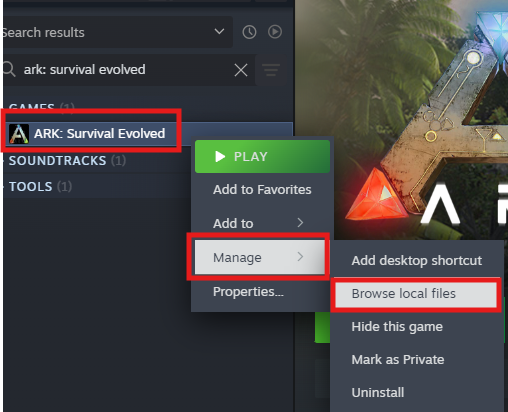
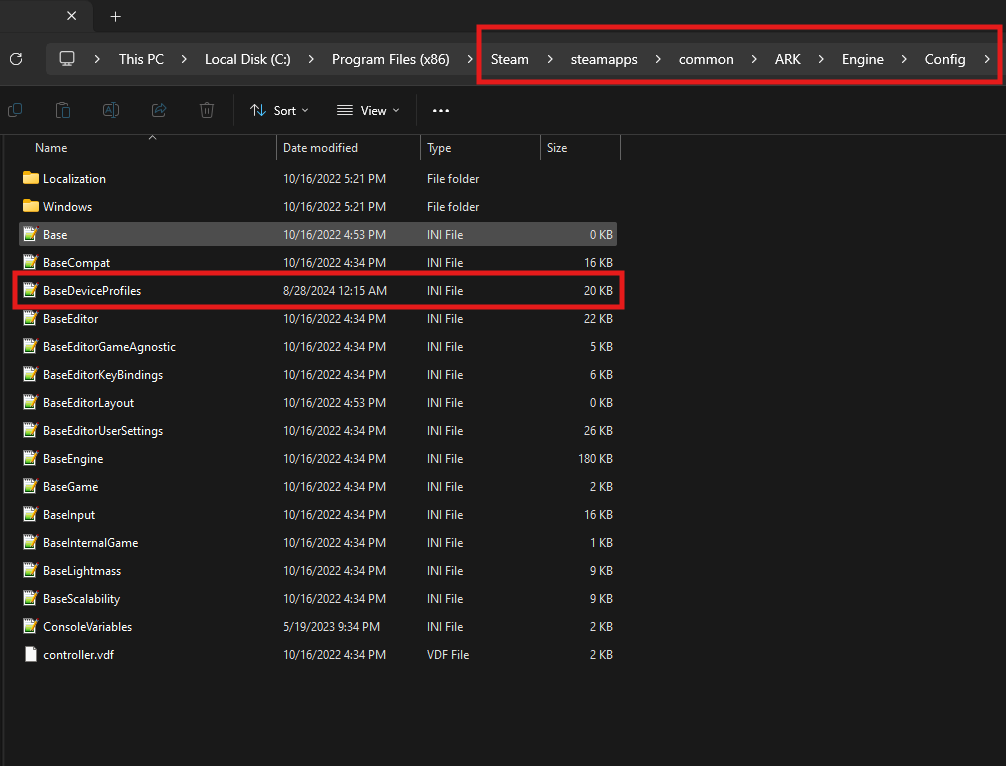
Go to Steam Library > ARK Survival Evolved > Right click > Manage > Browse Local Files > Engine > Config > BaseDeviceProfiles (File destination)
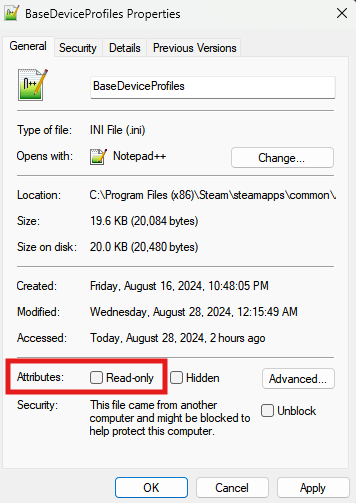
Important note: Make sure your BaseDeviceProfiles read only is disabled. You can check if you right click, go to properties and under attributes.
How to change ini tutorial:
Once you have found your file destination of BaseDeviceProfiles, and made sure that read-only is disabled, you can open BaseDeviceProfiles and delete everything inside. Down below here in the website, will be multiple ini links to different settings you can choose from, pick one and copy everything there, and paste it inside the BaseDeviceProfiles then save.
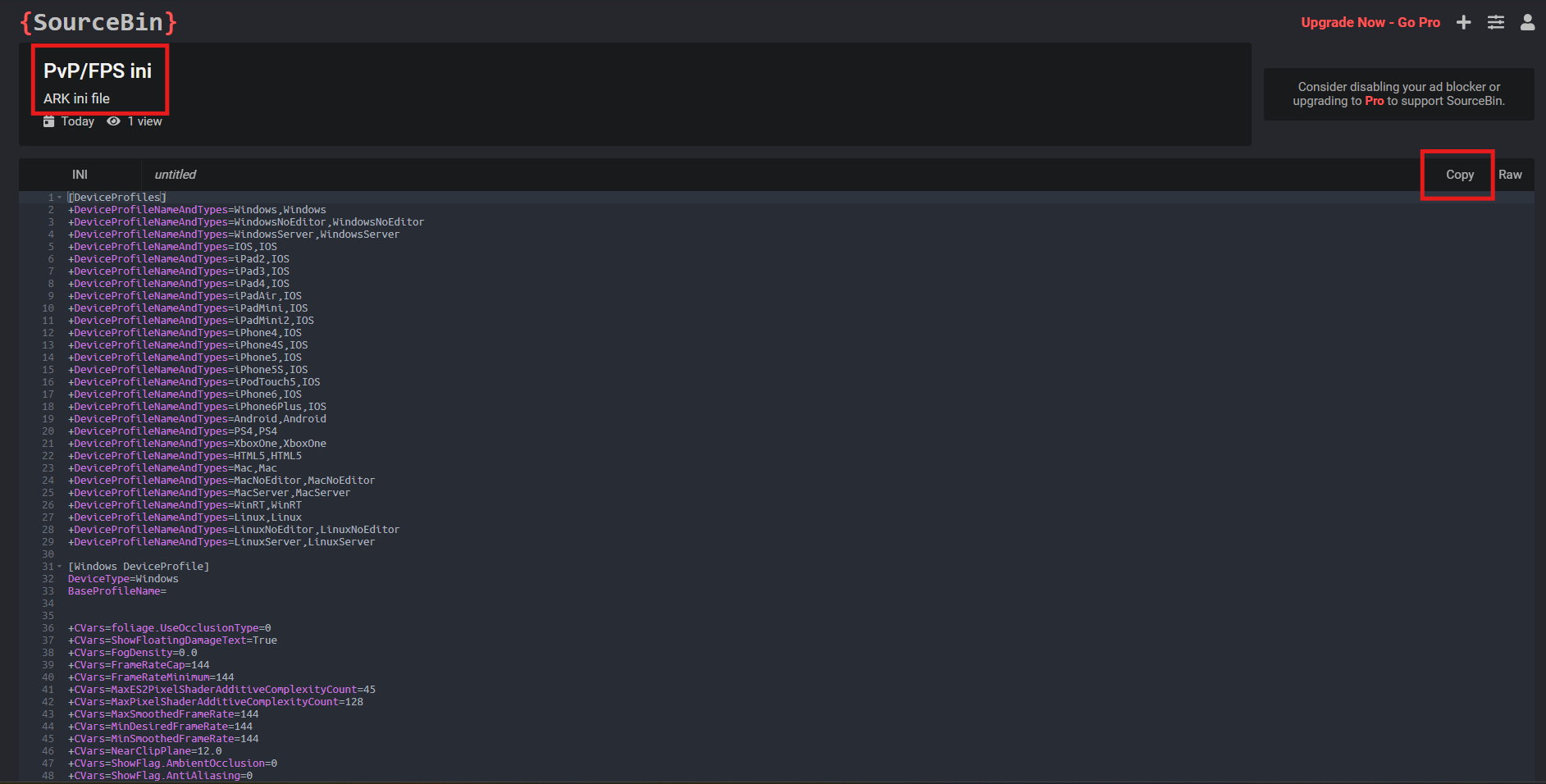
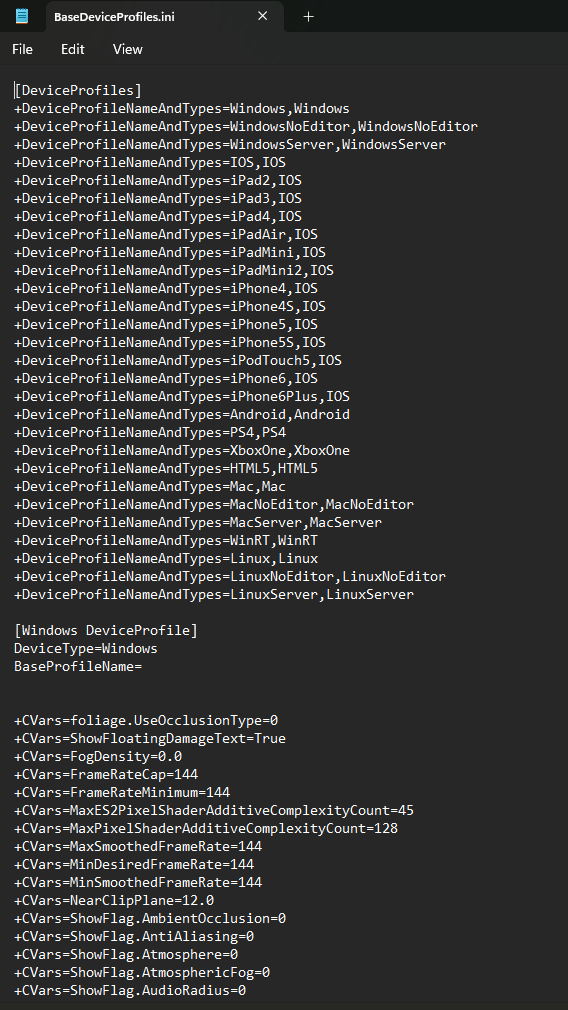
Above is a link to the default ini file/text in case you don't want to use the other ini's anymore. You can copy & paste it into your BaseDeviceProfiles file.
Above is a link to the PvP/FPS ini file. This makes water clear, caves clear, but removes tek helmet functionality (no tek helmet sensor). Recommended if you want a simple ini to see things clear.
Above is a link to the Soft ini file. It has main features of the PvP/FPS ini file, except it allows tek helmet functionality, and you have to wear full scuba or tek suit to see underwater clear, otherwise it's normal.
Above is a link to the Pretty ini file. This is closer to default style of ark for those who want to have some ini advantages but don't want the game to look bad.
Above is a link to the Hard ini file. Does what other ini's do and more. It will remove tree leaves, water, and make most weapons/items black. This is a very strong ini and there's quite a few disadvantages such as not seeing structure placement, tek helmet functionality, no tek projectiles or tek replicator/tek generator illumination.
Other Recommended Settings:
Below are recommended settings you should use with or without ini's. They will improve FPS significantly and make everything overall better. You can adjust some settings to your liking such as Texture quality, Resolution, etc. However, everything else should be similar.
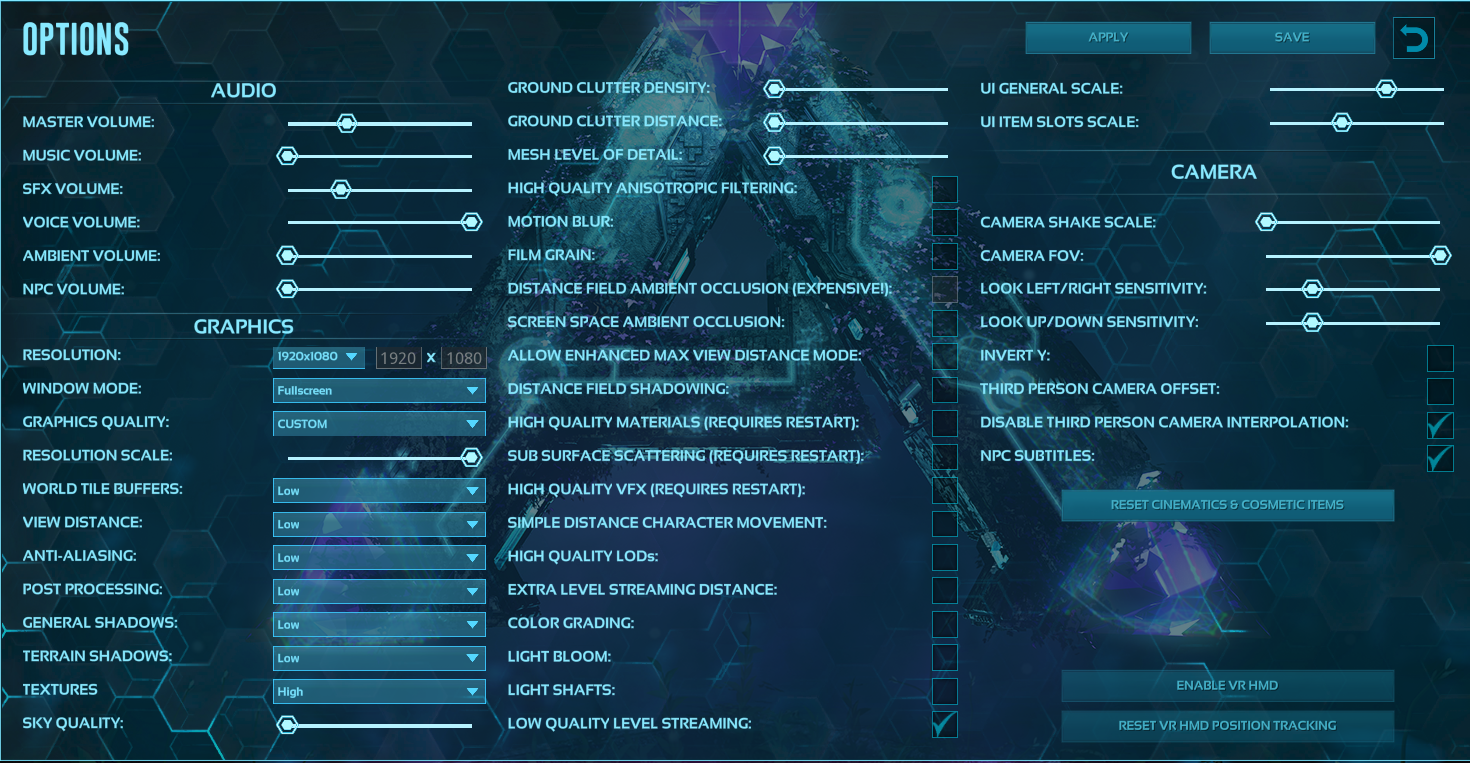
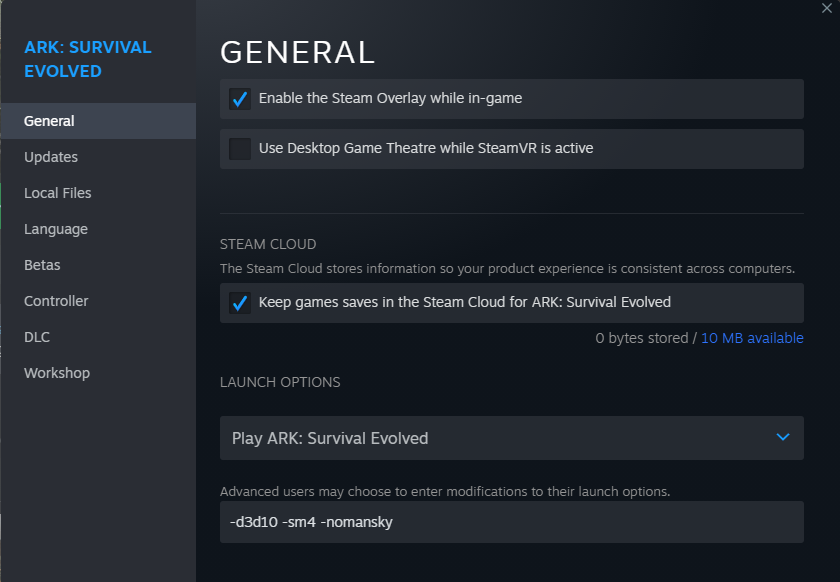 Here are recommended steam pre-launch settings that will also help boost fps. To find this location, go to Steam Library > Right Click ARK: Survival Evolved > Properties > Paste pre-launch settings at the bottom.


